
OpenGallery.ai
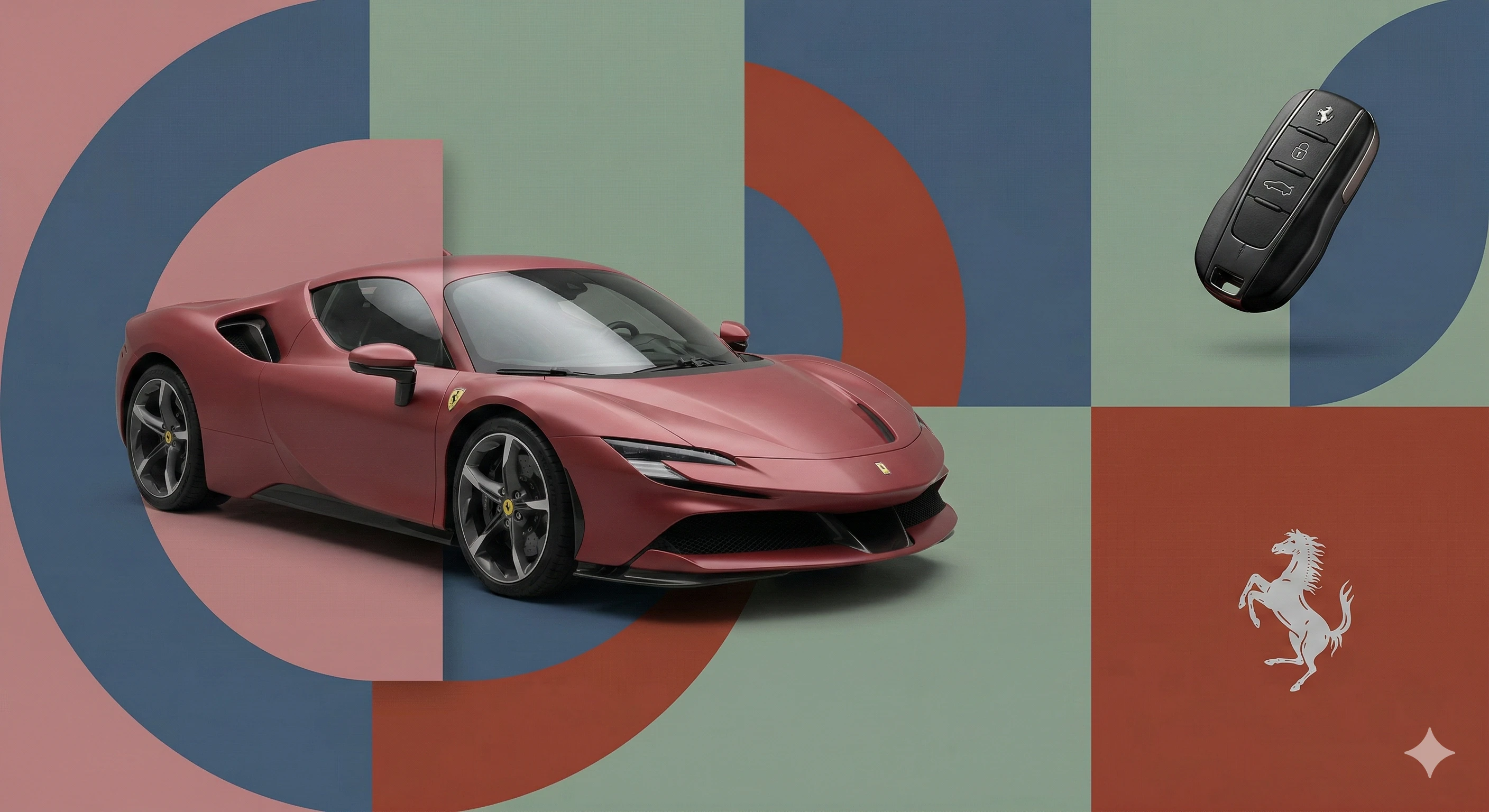
Ferrari. Act as a World-Class Editorial Designer.

PHASE 1: DYNAMIC SUBJECT LOGIC.

- Subject Selection: Autonomously analyze Ferrari.

- Layering (The Sandwich Effect): Interweave the subject with background shapes. Some parts of the car/person must be hidden behind geometric blocks, while other parts (wheels, limbs, props) must overlap them to create 3D depth.

PHASE 2: GRID & GEOMETRY.

- Layout: A clean 2x2 grid composition. 

- Overlays: Superimpose large, bold geometric arcs and circles over the grid. 

- Visual Balance: Place one iconic product prop (e.g., a floating key fob for cars or a ball for sports) in a separate quadrant to balance the subject.

PHASE 3: SOPHISTICATED MUTED PALETTE.

- Color Direction: DO NOT use aggressive neon or oversaturated colors.

- Palette: Identify the core colors of Ferrari and shift them to a "Sophisticated Muted" spectrum. 

- Tones: Use desaturated, earthy, or "dusty" versions of the brand colors (e.g., instead of hot pink, use dusty rose; instead of bright mint, use sage green; instead of royal blue, use slate blue). 

- Finish: Matte, flat color blocks with zero gradients.

PHASE 4: PHOTOGRAPHY & LIGHTING.

- Subject Style: High-end commercial studio photography.

- Lighting: Soft, diffused studio lighting with gentle highlights. No harsh shadows.

- Integration: The subject must feel physically embedded into the graphic grid.

PHASE 5: MINIMALIST BRANDING.

- Logo: Place a clean, single-color Ferrari logo in the center of one background block. No taglines, just the iconic symbol.
Template

FerrariVariable: Brand. Act as a World-Class Editorial Designer. PHASE 1: DYNAMIC SUBJECT LOGIC. - Subject Selection: Autonomously analyze FerrariVariable: Brand. - Layering (The Sandwich Effect): Interweave the subject with background shapes. Some parts of the car/person must be hidden behind geometric blocks, while other parts (wheels, limbs, props) must overlap them to create 3D depth. PHASE 2: GRID & GEOMETRY. - Layout: A clean 2x2 grid composition.  - Overlays: Superimpose large, bold geometric arcs and circles over the grid.  - Visual Balance: Place one iconic product prop (e.g., a floating key fob for cars or a ball for sports) in a separate quadrant to balance the subject. PHASE 3: SOPHISTICATED MUTED PALETTE. - Color Direction: DO NOT use aggressive neon or oversaturated colors. - Palette: Identify the core colors of FerrariVariable: Brand and shift them to a "Sophisticated Muted" spectrum.  - Tones: Use desaturated, earthy, or "dusty" versions of the brand colors (e.g., instead of hot pink, use dusty rose; instead of bright mint, use sage green; instead of royal blue, use slate blue).  - Finish: Matte, flat color blocks with zero gradients. PHASE 4: PHOTOGRAPHY & LIGHTING. - Subject Style: High-end commercial studio photography. - Lighting: Soft, diffused studio lighting with gentle highlights. No harsh shadows. - Integration: The subject must feel physically embedded into the graphic grid. PHASE 5: MINIMALIST BRANDING. - Logo: Place a clean, single-color FerrariVariable: Brand logo in the center of one background block. No taglines, just the iconic symbol.

Categories
Ads & Marketing
Prompt Variables
BrandFerrari
Tags
#ferrari#key visual#campaign
Generation Settings
gemini 3Pro
Community Approved by OpenGallery.ai
Created by Santiago Yeomans
Mar 2, 2026